
OtterAI Transcribe Voice Notes
Otter.aiProductivity
4.74.61K Reviews
- Version
- 3.106.0-6848
- Installs
- 5.00M
- Age Rating
- Everyone
Screenshots
Our Review of OtterAI Transcribe Voice Notes
 Analysis by Appyee
I often reach for a voice note when an idea arrives at the wrong moment, but listening back through a long recording to find one useful detail can be a chore. That is where OtterAI can help: it turns spoken material into text you can revisit and work with. I see its biggest value not as a replacement for careful note-taking, but as a way to make conversations and spoken thoughts easier to search, review, and share.
Readable notes, with a little cleanup
Otter.ai makes this productivity app, which is aimed at recording and transcribing speech as well as helping with meeting notes. Its main appeal is straightforward: rather than trying to write every sentence while someone is talking, I can focus on listening and use the transcript as a working record afterward. That can be especially useful when a discussion moves quickly or when I want to check exactly what I heard.
The transcript is not the same thing as a polished set of minutes. I would treat it as a draft that needs a human pass, particularly when the conversation includes names, specialist terms, or several people speaking close together. A practical habit is to review the text soon after a session, while the context is fresh, and correct the bits that would confuse me later. Editing and adding notes make that review more useful than keeping an untouched block of speech.
For someone who finds dense audio difficult to revisit, readable text can make recorded information easier to scan. It also gives me another way to engage with a conversation: I can look over the written record rather than replaying the entire recording just to locate a point. That does not make transcription a substitute for every listening need, but it can reduce the effort involved in reviewing spoken material.
Navigation and a focused workflow
When I first open the app, the home screen feels clean and relatively easy to understand. I appreciate that practical focus: when I want to capture a thought, I do not want to hunt through a maze of controls. Recording speech, returning to a transcript, and making corrections form a simple workflow that suits quick notes as well as longer conversations.
A useful way to get more from that workflow is to give each recording a clear purpose before starting. For example, I might say the project or topic aloud at the beginning of a voice memo, then add a short note to the transcript after recording. That small bit of context can make a file easier to recognize later, especially if I capture several ideas in one day. It is a low-effort organizational habit, not a guarantee that every transcript will sort itself out automatically.
The app is free to download, with in-app purchases ranging from $12.99 to $99.99 per item. I would start with the free experience and see whether the way I actually use transcripts justifies paying for anything. If I only need an occasional reminder or a short personal memo, I would not assume that a paid option is necessary. Someone who regularly handles meetings or large amounts of spoken material may have a different calculation.
Making speech easier to use in different settings
Transcription can support people who have difficulty keeping up with spoken information, and it can also help anyone who wants a written reference after a conversation. I would not describe it as a complete accessibility solution: a transcript can contain mistakes, and reading it still takes attention. But having speech represented as text gives users another way to review material, which can be valuable in a classroom, at work, or while planning a personal task.
There are sensory trade-offs, too. In a quiet setting, recording a speaker clearly can make the resulting text more useful; in a noisy room, overlapping voices and background sound may make review harder. I would choose a spot close to the main speaker when possible and avoid treating the transcript as authoritative if the recording conditions are poor. This is especially important for names, numbers, instructions, and anything where a small transcription error could change the meaning.
For motor access, the basic attraction is that speaking can capture a thought without typing every word. That can reduce the amount of keyboard work, but it does not remove all interaction: starting a recording, finding the right transcript, and editing mistakes still require navigation and input. If those steps are difficult, I would test the complete process rather than judging the app only by how easy it is to begin recording.
Where it fits—and where it does not
Compared with writing notes by hand or typing during a meeting, OtterAI lets me stay more focused on the speaker and gives me a fuller record to revisit. Compared with a basic voice recorder, its text transcript is the key difference: I can scan written material rather than replaying audio from the start. A manual note-taking app may be better if I want to capture only a few decisions in my own words, without creating a transcript that needs checking.
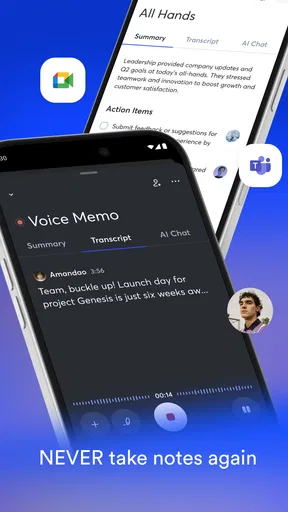
Here is a realistic use case: I am in a project meeting, listening for a decision and the next steps rather than trying to type every comment. I record the discussion, then later review the transcript and correct the names or technical phrases that matter. I can add a note beside the important point and share the transcript with a colleague who needs the context. I would still write a concise action list separately; a long transcript is useful as a record, but it is not automatically a clear summary of who needs to do what.
Students may find it helpful for reviewing a lecture, and reporters or professionals may appreciate having spoken material in a form they can edit and share. It can also suit people who think aloud and want to turn a brainstorming session into something they can revisit. On the other hand, I would skip it if I need a guaranteed word-for-word record without review, if I rarely need to revisit recordings, or if my preferred workflow is to write brief, structured notes myself.
Accuracy, context, and sensible review
In my experience, the transcription is useful, but I would not rely on it blindly. Speech recognition can stumble over jargon, unfamiliar names, strong background noise, and speakers who interrupt one another. A quick proofread is not optional when accuracy matters. I would pay particular attention to numbers, deadlines, people’s names, and statements that could be mistaken for commitments.
One non-obvious trade-off is that a more complete transcript can create more reading work, not less. For a short decision-making meeting, it may be faster to correct the transcript and then write a handful of takeaways than to expect the transcript itself to be the finished document. For a personal voice memo, by contrast, the text may already be enough to recover the idea. Matching the review effort to the purpose keeps transcription from becoming another pile of material to manage.
Another helpful habit is to separate capture from interpretation. I can record a discussion first, then mark what I believe was decided only after checking the relevant passage. That lowers the chance of mistaking a tentative suggestion for a firm agreement. If several people contribute, I would also verify who said what before sharing notes as a formal record; a readable transcript does not remove the need for judgment.
OtterAI can work with imported audio as well as live speech, which makes it useful when I have already recorded something elsewhere. That gives me a choice: use it as the recording point for a new thought or bring in an existing file for transcription. I would still test an important recording early in my workflow, rather than discovering during a deadline that its sound or vocabulary needs more correction than expected.
Compatibility and practical expectations
The app has been available since February 16, 2018, and its current version is 3.93.0-5274. It runs on Android 6.0 or later, so an older compatible device may be able to use it, though I would keep the operating system requirement in mind before trying to install it. Its audience rating is Everyone, but that is a content classification, not a promise that every workflow will suit every user.
Its average rating is 4.3 from around 26,000 ratings, and it has been installed over 5 million times. I take that as evidence that many people are interested in this kind of speech-to-text workflow, not as proof that its transcription will be accurate in every room or for every voice. The more important question is whether I will regularly use the resulting text enough to justify recording and reviewing it.
Because the app handles spoken material, I would also think carefully about what I record and who will hear it. In a meeting, it is considerate to make the purpose of recording clear to the people involved and to follow the expectations of the setting. Sharing is convenient, but I would check the transcript before sending it and avoid treating a shared draft as a finalized record when details have not been verified.
A useful aid, not an automatic note-taker
My overall view is that OtterAI is most worthwhile when spoken information is valuable enough to revisit: recurring meetings, lectures, interviews, or ideas that arrive while my hands are busy. It can make those recordings more accessible to review, and its editing and sharing tools help move a transcript into a practical workflow. The payoff depends on taking a little time to correct and organize what it captures.
I would recommend trying it if you want a written companion to conversations and are comfortable checking the result. If you need only a few tidy bullet points, a conventional notes app may be quicker. If the recording environment is chaotic or exact wording is essential, I would use a careful human record alongside it rather than relying on automated text alone. That balance is what makes this tool useful without asking it to do more than it can.
If you're anything like me, you're probably always juggling a million things at once, and keeping track of everything can be a challenge. That's where OtterAI comes in, a nifty app designed to help you transcribe voice notes with ease. Let me take you through my experience with this app and why it might just become your new favorite productivity tool.
Getting Started with OtterAI
First things first, downloading OtterAI was a breeze. Available on both Android and iOS, you can find it on the Google Play Store or the Apple App Store. Once installed, setting up your account is quick and straightforward. The app walks you through the initial setup, asking for permissions to access your microphone and storage. Don’t worry, it’s all standard procedure.
Once you're in, the home screen is clean and intuitive, which I appreciate. No one likes getting lost in a sea of menus, especially when you're just trying to jot down a quick note. The design is minimalist, focusing on functionality over flashy graphics, which is a win in my book.
Features that Stand Out
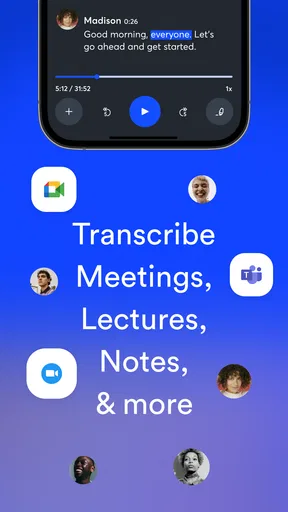
Now, let's get to the good stuff. OtterAI offers real-time transcription, which means as you're speaking, it's typing out your words. It’s super handy for meetings, lectures, or even brainstorming sessions. You can also import audio files if you need to transcribe something you recorded earlier.
Another cool feature is the ability to edit transcripts. After your speech is transcribed, you can go back, make corrections, and add notes. This feature comes in handy when you need to polish up a rough draft or highlight important points.
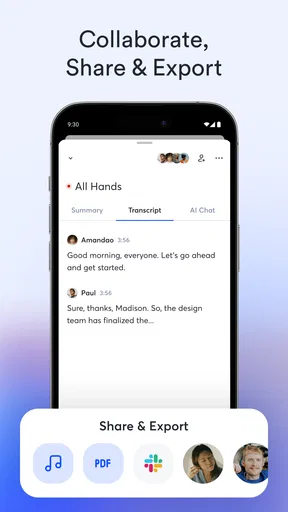
The app also supports collaboration, allowing you to share transcripts with others. Whether you're working on a project with a team or need feedback from a colleague, sharing is as simple as hitting the share button. Plus, you can integrate it with other apps like Zoom, making it even more versatile.
Performance and Accuracy
One of the critical factors for any transcription app is accuracy, and OtterAI doesn’t disappoint. The app does a pretty impressive job of picking up speech, even in noisy environments. Of course, no app is perfect, and there are occasional errors, especially with complex technical jargon, but the accuracy is generally high.
In terms of performance, OtterAI is smooth and responsive. There were no noticeable lags or crashes during my time using it, which is always a plus. The app does a lot of heavy lifting in the background, but it manages to keep everything running seamlessly.
Why You Might Love It
If you're constantly on the go and need a reliable way to keep track of your thoughts, OtterAI is a fantastic companion. It's like having a personal assistant who never misses a word. The app is particularly useful for students, journalists, and professionals who need to document their ideas and conversations efficiently.
The collaborative features make it a great tool for team projects, and the integration options mean it can fit comfortably into your existing workflow. Plus, the ability to edit and organize transcripts allows for a level of customization that can suit various needs.
Final Thoughts
In conclusion, OtterAI is an impressive app that delivers on its promises. Whether you're looking to boost your productivity or need an accurate transcription tool, it’s worth giving it a shot. With its user-friendly interface and robust features, you might find it becomes an indispensable part of your daily routine.
So, next time you need to transcribe a meeting or jot down a quick thought, why not let OtterAI do the heavy lifting? You can download it today and see how it fits into your life. Happy transcribing!
Verdict
Strengths of OtterAI Transcribe Voice Notes
- Accurate transcription with minimal errors.
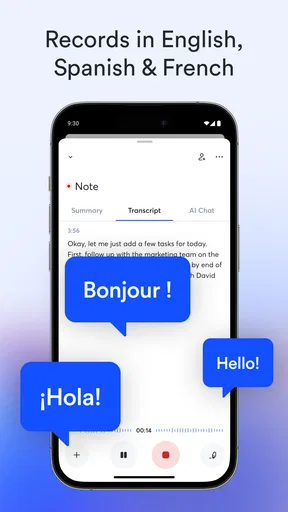
- Supports multiple languages for transcription.
- Easy sharing of notes via email and apps.
- Real-time collaboration with team members.
- User-friendly interface for quick navigation.
Limitations of OtterAI Transcribe Voice Notes
- Limited offline functionality available.
- Subscription required for premium features.
- Occasional delay in processing long notes.
- May struggle with strong accents or dialects.
- Free version has limited storage capacity.
Similar Picks in This Category
View All
Google Calendar
Google LLC4.6

Google Drive
Google LLC4.3

Google Assistant
Google LLC3.9

Microsoft OneDrive
Microsoft Corporation4.6

Samsung Calendar
Samsung Electronics Co., Ltd.4.1

Microsoft OneNote: Save Notes
Microsoft Corporation4.6
Frequently Asked Questions
What features does OtterAI offer for transcribing voice notes?
OtterAI provides automated transcription services with advanced speech recognition technology. Users can record live conversations or import audio files for transcription. Features include real-time transcription, speaker identification, keyword highlights, and the ability to edit and share transcripts. It also integrates with popular platforms like Zoom, making it versatile for various needs.
Is OtterAI secure for sensitive information?
OtterAI employs encryption to protect your data both in transit and at rest. While it takes security seriously, users should be cautious about uploading highly sensitive information. It's advisable to review their privacy policy and ensure that their security measures align with your requirements for handling confidential data.
How accurate are the transcriptions provided by OtterAI?
OtterAI is known for its high accuracy in transcribing standard speech, boasting around 80-90% accuracy for clear recordings. However, transcription accuracy can vary depending on factors such as background noise, speaker accents, and clarity of speech. Users can manually edit transcripts to correct any inaccuracies easily.
What are the subscription options available for OtterAI?
OtterAI offers a free Basic plan with limited features, including 600 minutes of transcription per month. For more extensive use, the Pro plan offers additional features and 6,000 minutes per month. There is also a Business plan tailored for teams, which includes advanced collaboration features and priority support.
Can OtterAI be used offline?
OtterAI primarily functions as an online service, requiring an internet connection to process and store transcriptions. While you can record audio offline using the app, transcriptions cannot be generated until an internet connection is restored. This ensures that all processing is handled securely through their cloud services.
